


Page 41 - Abbott
P. 41
Follow-Up
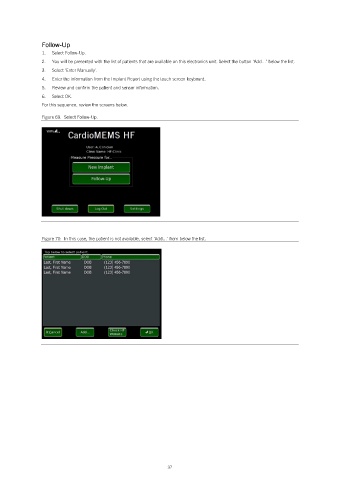
                1.   Select Follow-Up.
                2.   You will be presented with the list of patients that are available on this electronics unit. Select the button ‘Add…’ below the list.
                3.   Select ‘Enter Manually’.
                4.   Enter the information from the Implant Report using the touch screen keyboard.
                5.   Review and confirm the patient and sensor information.
                6.   Select OK.
                For this sequence, review the screens below.

                Figure 69.  Select Follow-Up.


                Figure 70.  In this case, the patient is not available, select ‘Add…’ from below the list.


                                                            37

