


Page 39 - Abbott
P. 39
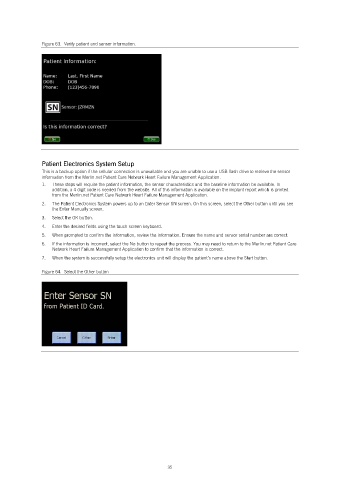
Figure 63.  Verify patient and sensor information.


                Patient Electronics System Setup
                This is a backup option if the cellular connection is unavailable and you are unable to use a USB flash drive to retrieve the sensor
                information from the Merlin.net Patient Care Network Heart Failure Management Application.
                1.   These steps will require the patient information, the sensor characteristics and the baseline information be available. In
                   addition, a 4 digit code is needed from the website. All of this information is available on the implant report which is printed
                   from the Merlin.net Patient Care Network Heart Failure Management Application.
                2.   The Patient Electronics System powers up to an Enter Sensor SN screen. On this screen, select the Other button until you see
                   the Enter Manually screen.
                3.   Select the OK button.
                4.   Enter the desired fields using the touch screen keyboard.
                5.   When prompted to confirm the information, review the information. Ensure the name and sensor serial number are correct.
                6.   If the information is incorrect, select the No button to repeat the process. You may need to return to the Merlin.net Patient Care
                   Network Heart Failure Management Application to confirm that the information is correct.
                7.   When the system is successfully setup the electronics unit will display the patient’s name above the Start button.

                Figure 64.  Select the Other button


                                                            35

