


Page 43 - Abbott
P. 43
WiFi is not installed by default. Contact Customer Service to obtain the compatible WiFi accessory.
Once you have obtained the WiFi accessory, contact the IT group at your facility for credentials to your WiFi network. Some important
information to consider regarding the use of WiFi by the Hospital Electronics System.
The system only uses the WiFi network at your facility as a means to gain access to the Merlin.net Patient Care Network Heart
Failure Management Application which is available on the internet.
The system does not communicate with any other devices within your facilities’ network.
All information passed between the system and the Merlin.net Patient Care Network Heart Failure Management Application is
encrypted using secure sockets (SSL).
The system will only operate on WiFi networks that are sufficiently encrypted (WPA2). It will not operate on unprotected or open
networks.
The credentials for the WiFi network are not sent to the Merlin.net Patient Care Network Heart Failure Management Application.
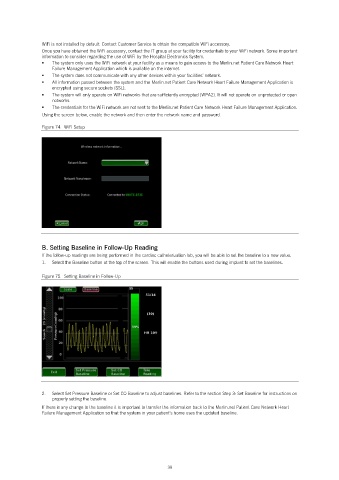
Using the screen below, enable the network and then enter the network name and password.
Figure 74. WiFi Setup
B. Setting Baseline in Follow-Up Reading
If the follow-up readings are being performed in the cardiac catheterization lab, you will be able to set the baseline to a new value.
1. Select the Baseline button at the top of the screen. This will enable the buttons used during implant to set the baselines.
Figure 75. Setting Baseline in Follow-Up
2. Select Set Pressure Baseline or Set CO Baseline to adjust baselines. Refer to the section Step 3: Set Baseline for instructions on
properly setting the baseline.
If there is any change to the baseline it is important to transfer the information back to the Merlin.net Patient Care Network Heart
Failure Management Application so that the system in your patient’s home uses the updated baseline.
39

