


Page 36 - Abbott
P. 36
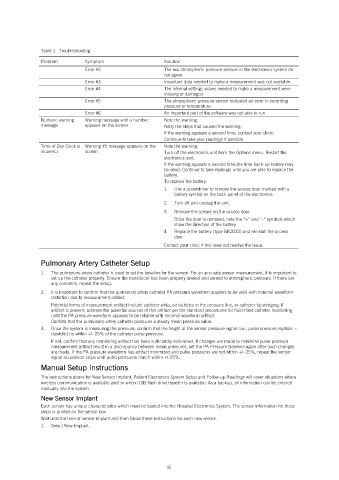
Table 1.  Troubleshooting

               Problem         Symptom                     Solution
                               Error #2                    The two atmospheric pressure sensors in the electronics system do
                                                           not agree.
                               Error #3                    Important data needed to make a measurement was not available.
                               Error #4                    The internal settings values needed to make a measurement were
                                                           missing or damaged.
                               Error #5                    The atmospheric pressure sensor indicated an error in recording
                                                           pressure or temperature.
                               Error #6                    An important part of the software was not able to run.
               Numeric warning   Warning message with a number   Note the warning.
               message         appears on the screen       Retry the steps that caused the warning.
                                                           If the warning appears a second time, contact your clinic.
                                                           Continue to take your readings if possible.
               Time of Day Clock is  Warning #5 message appears on the   Note the warning.
               incorrect       screen                      Turn off the electronics unit from the Options menu. Restart the
                                                           electronics unit.
                                                           If the warning appears a second time,the time back-up battery may
                                                           be dead. Continue to take readings until you are able to replace the
                                                           battery.
                                                           To replace the battery:
                                                           1.   Use a screwdriver to remove the access door marked with a
                                                              battery symbol on the back panel of the electronics.
                                                           2.   Turn off and unplug the unit.
                                                           3.   Remove the screws on the access door.
                                                              Once the door is removed, note the “+” and “-“ symbols which
                                                              show the direction of the battery.
                                                           4.   Replace the battery (type BR2032) and reinstall the access
                                                              door.
                                                           Contact your clinic if this does not resolve the issue.

               Pulmonary Artery Catheter Setup
               1.   The pulmonary artery catheter is used to set the baseline for the sensor. For an accurate sensor measurement, it is important to
                   set up the catheter properly. Ensure the transducer has been properly leveled and zeroed to atmospheric pressure. If there are
                   any concerns, repeat the setup.
               2.   It is important to confirm that the pulmonary artery catheter PA pressure waveform appears to be valid with minimal waveform
                   distortion due to measurement artifact.
                   Potential forms of measurement artifact include catheter whip, air bubbles in the pressure line, or catheter tip wedging. If
                   artifact is present, address the potential sources of this artifact per the standard procedures for fluid-filled catheter monitoring
                   until the PA pressure waveform appears to be reliable with minimal waveform artifact.
                   Confirm that the pulmonary artery catheter produces a steady mean pressure value.
               3.   Once the system is measuring the pressure, confirm that the height of the sensor pressure signal (i.e., pulse pressure (systolic –
                   diastolic)) is within +/- 25% of the catheter pulse pressure.
                   If not, confirm that any monitoring artifact has been sufficiently minimized. If changes are made to minimize pulse pressure
                   measurement artifact result in a discrepancy between mean pressures, set the PA Pressure Baseline again after such changes
                   are made. If the PA pressure waveform has artifact minimized and pulse pressures are not within +/- 25%, repeat the sensor
                   signal acquisition steps until pulse pressures match within +/-25%.
               Manual Setup Instructions
               The instructions above for New Sensor Implant, Patient Electronics System Setup and Follow-up Readings will cover situations where
               wireless communication is available and/ or when USB flash drive transfer is available. As a backup, all information can be entered
               manually into the system.
               New Sensor Implant
               Each sensor has unique characteristics which must be loaded into the Hospital Electronics System. The sensor information for these
               steps is printed on the sensor box.
               Wait until the time of sensor implant and then follow these instructions for each new sensor:
               1.   Select New Implant.


                                                            32

