


Page 28 - Abbott
P. 28
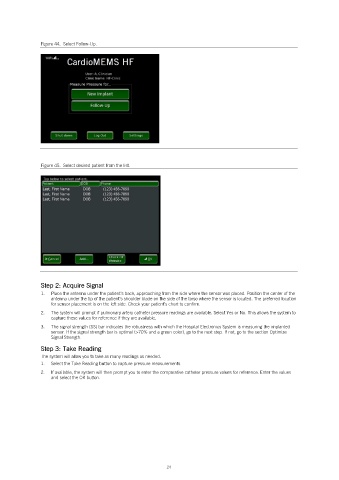
Figure 44.  Select Follow-Up.


               Figure 45.  Select desired patient from the list.


               Step 2: Acquire Signal
               1.   Place the antenna under the patient’s back, approaching from the side where the sensor was placed. Position the center of the
                   antenna under the tip of the patient’s shoulder blade on the side of the torso where the sensor is located. The preferred location
                   for sensor placement is on the left side. Check your patient’s chart to confirm.
               2.   The system will prompt if pulmonary artery catheter pressure readings are available. Select Yes or No. This allows the system to
                   capture these values for reference if they are available.
               3.   The signal strength (SS) bar indicates the robustness with which the Hospital Electronics System is measuring the implanted
                   sensor. If the signal strength bar is optimal (>70% and a green color), go to the next step. If not, go to the section Optimize
                   Signal Strength.

               Step 3: Take Reading
               The system will allow you to take as many readings as needed.
               1.   Select the Take Reading button to capture pressure measurements.
               2.   If available, the system will then prompt you to enter the comparative catheter pressure values for reference. Enter the values
                   and select the OK button.


                                                            24

