


Page 8 - Abbott
P. 8
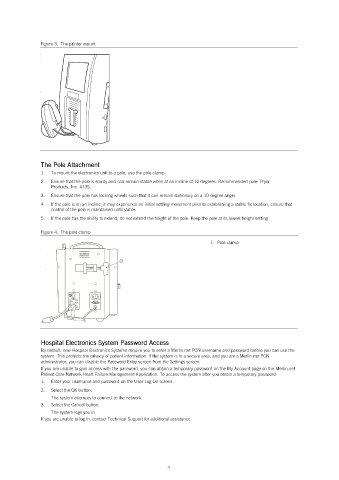
Figure 3.  The printer mount


               The Pole Attachment
               1.   To mount the electronics unit to a pole, use the pole clamp.
               2.   Ensure that the pole is sturdy and can remain stable when at an incline of 10 degrees. Recommended pole: Pryor
                   Products, Inc. #135.
               3.   Ensure that the pole has locking wheels such that it can remain stationary on a 10 degree angle.
               4.   If the pole is on an incline, it may experience an initial settling movement prior to establishing a stable fix location, ensure that
                   control of the pole is maintained until stable.
               5.   If the pole has the ability to extend, do not extend the height of the pole. Keep the pole at its lowest height setting.

               Figure 4.  The pole clamp
                                                                           1.  Pole clamp


               Hospital Electronics System Password Access
               By default, new Hospital Electronics Systems require you to enter a Merlin.net PCN username and password before you can use the
               system. This protects the privacy of patient information. If the system is in a secure area, and you are a Merlin.net PCN
               administrator, you can disable the Password Entry screen from the Settings screen.
               If you are unable to gain access with the password, you can obtain a temporary password on the My Account page on the Merlin.net
               Patient Care Network Heart Failure Management Application. To access the system after you obtain a temporary password:
               1.   Enter your username and password on the User Log On screen.
               2.   Select the OK button.
                   The system attempts to connect to the network.
               3.   Select the Cancel button.
                   The system logs you in.
               If you are unable to log in, contact Technical Support for additional assistance.


                                                            4

